






Introduction
In 2025, recording mobile gameplay has become essential for streamers, creators, and competitive players. High-quality screen recorders now offer smoother capture, clearer sound, and customizable settings. Here are the top five apps for recording gameplay with excellent quality.
1. AZ Screen Recorder – Smooth & Reliable Recording
Category: Screen Recording
AZ Screen Recorder is a trusted tool for creators with:
- No watermark & no time limit
- Stable high-resolution recording (1080p–2K)
- Internal & mic audio capture
- Quick editing tools
- Floating control button for easy use
2. XRecorder – High FPS Gameplay Capture
Category: Screen Recording
XRecorder boosts recording clarity through:
- 60FPS stable recording for heavy games
- Adjustable bitrate & resolution
- Lag-free capture
- Built-in video editor
- One-tap start via floating bar
3. Mobizen Recorder – Clean Recording Mode
Category: Screen Recording
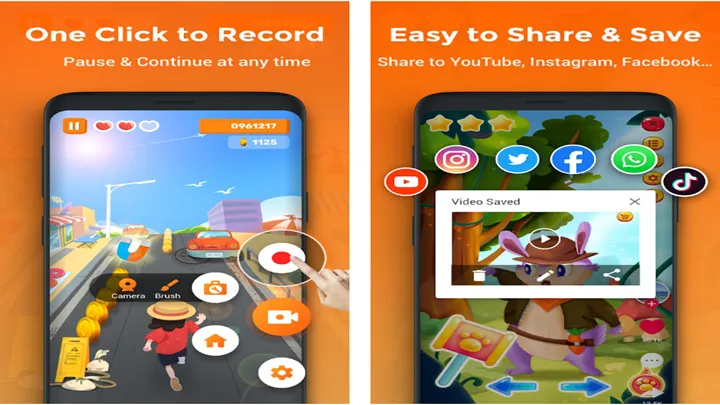
Mobizen is perfect for beginners thanks to:
- Clean Recording (no watermark)
- 1080p, 60FPS high-quality output
- Internal audio support
- Simple editing tools
- Easy file management

4. ADV Screen Recorder – Lightweight & Fast
Category: Screen Recording
ADV is ideal for weaker devices with:
- Full control of resolution & FPS
- Front-camera facecam support
- Add logo or text
- No root required
- Very lightweight and stable

5. DU Recorder – Professional Recording & Livestream
Category: Screen Recording
DU Recorder delivers powerful recording options:
- Livestream to YouTube/Facebook
- High-bitrate 60FPS capture
- Multi-tool video editor
- Stable output with low lag
- Screenshot + screen capture combo

Conclusion
The Top 5 Screen Recording Apps—AZ Screen Recorder, XRecorder, Mobizen, ADV Screen Recorder, and DU Recorder—offer smooth performance, sharp quality, and useful editing tools. Whether you're a streamer or casual gamer, these apps make capturing gameplay easier than ever.